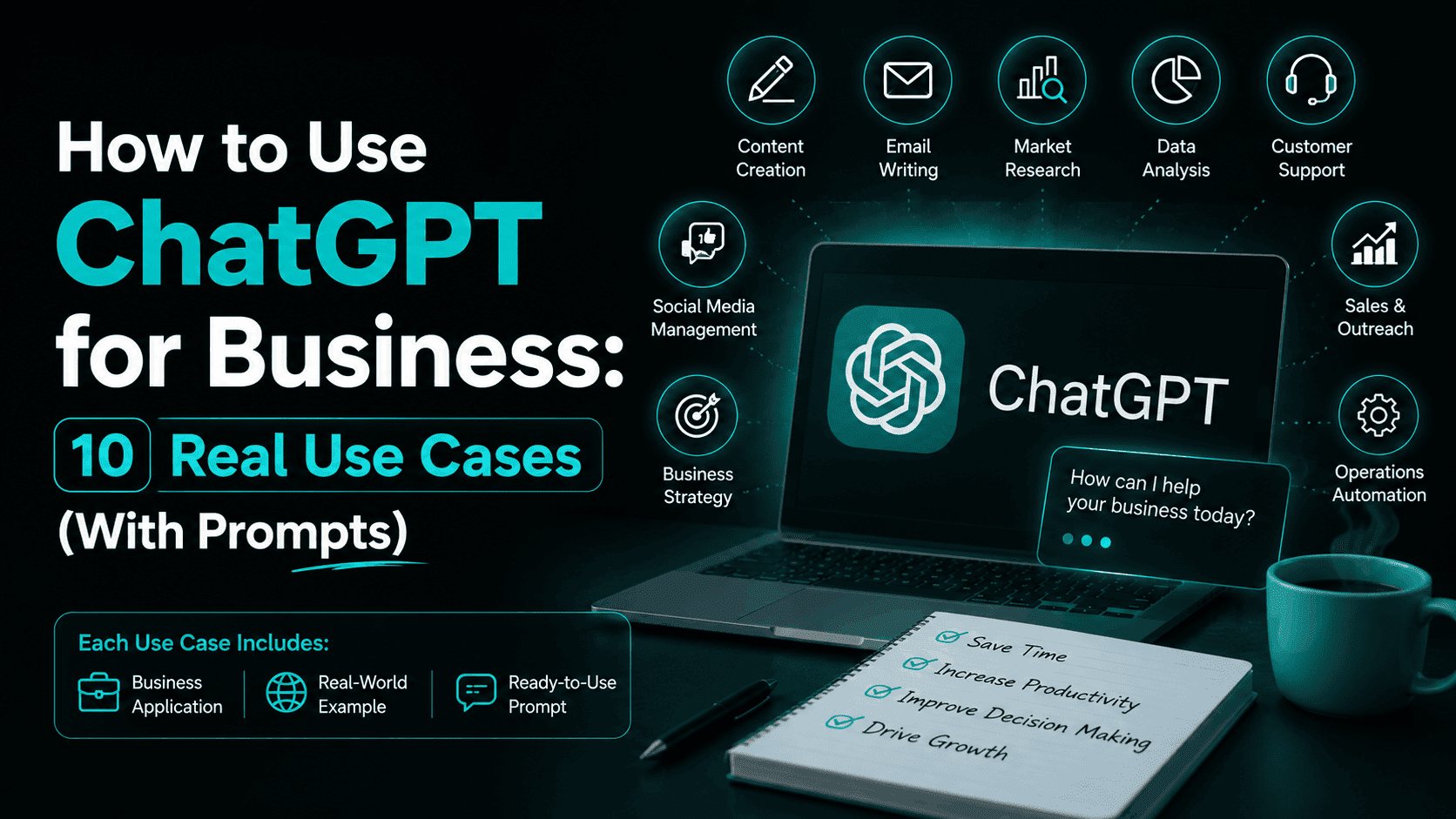
ChatGPT for Business is no longer a curiosity for tech-forward companies – it is something founders, solopreneurs, and team leads across industries are quietly using to do two people’s work in half the time.
But here is the problem. Most guides on this topic list the same vague use cases. “Use it for customer support.” “Use it for marketing.” Great. What do you actually type? What does the output look like? And does it actually work?
This guide skips the theory. Below are 10 real use cases, each with a concrete prompt you can use today, honest notes on where ChatGPT falls short, and examples from businesses that are already seeing results.
What ChatGPT for Business Actually Means in 2026
ChatGPT is a large language model built by OpenAI. You type something in, it responds. Simple on the surface – but what has changed recently is how capable and business-ready it has become.
By early 2026, over 900 million people were using ChatGPT weekly. More than 1 million businesses worldwide are paying for some version of it. OpenAI’s enterprise customer base grew 9x year-over-year, which tells you something: this is not a side experiment anymore.
For business owners, the practical shift is this – tasks that used to take a full afternoon now take 20 minutes. A first draft of a proposal, a competitor research summary, an onboarding guide for new hires. None of these requires a fancy setup. You just need to know what to ask.
The catch? ChatGPT is only as useful as your prompts. And it has real limitations. This guide covers both.
10 Real Ways to Use ChatGPT for Business
1. Customer Support – Answer Faster Without Hiring More People
This is where most businesses start, and for good reason. If you get the same 15 questions over and over – about pricing, shipping, refunds, product features – ChatGPT can help you build an automated first-response layer.
You can train it with your existing FAQ content and use it inside tools like Intercom, Freshdesk, or even WhatsApp Business via API. Intercom’s product “Fin” runs on OpenAI models and cuts their development cycle from quarters to days.
What it handles well:
- Answering repetitive questions 24/7
- Drafting polite, on-brand responses to angry customers
- Summarizing long complaint threads before a human agent steps in
- Creating a full FAQ document from a conversation log
Where it struggles:
- Complex disputes that need context from previous interactions
- Emotionally charged situations where empathy from a real person matters
- Anything that requires access to your live order or CRM data (without integration)
Prompt to try:
“You are a customer support agent for [Your Business Name], a [describe your business]. We sell [product/service]. Here is a customer message: ‘[paste message]’. Write a helpful, friendly response under 100 words. Offer a resolution where possible.”
One tip – always review outgoing responses, especially for complaints. ChatGPT can phrase things in a way that sounds fine in isolation but creates liability in context.
2. Content Creation – Blogs, Emails, and Social Posts at Scale
Content is one of the biggest time drains for small business owners. Writing a single blog post can eat half your day, especially if writing is not your strength.
ChatGPT does not replace a good writer. But it does eliminate the blank page problem. Give it a topic, an angle, and your audience – and it produces a solid first draft in under two minutes. Your job is to edit, add your real opinions, and cut whatever sounds generic.
Content marketers who use AI-assisted writing consistently report finishing drafts two to three times faster than before. The tradeoff is that raw AI output needs significant editing for tone and originality.
What it handles well:
- First drafts for blogs, newsletters, and case studies
- Subject line variations for email campaigns (give it 10 options and pick the best)
- Instagram captions and LinkedIn posts from a core idea
- Repurposing one long article into five shorter formats
Where it struggles:
- Opinion pieces – it lacks a real point of view
- Highly technical content where accuracy is non-negotiable
- Anything that needs to sound unmistakably like you
Prompt to try:
“Write a 600-word blog introduction for an article titled ‘[title]’. The target audience is [describe audience]. The tone should be [conversational/formal/direct]. Start with a specific scenario, not a generic statement about industry trends.”
3. Sales Outreach – Personalized Pitches Without the Manual Work
Cold outreach is brutal. Most salespeople spend hours writing emails that never get opened. ChatGPT can dramatically speed up personalization at scale.
You give it a prospect’s name, company, role, and a one-line note about why you’re reaching out. It returns a short, personalized email. You still review it – but the heavy lifting is done.
Indeed used OpenAI APIs in its outreach features and saw a 20% increase in applications and 13% improvement in downstream outcomes. That kind of lift comes from relevance – and relevance comes from personalization.
What it handles well:
- First-touch cold emails
- Follow-up sequences (give it the previous email and ask for a follow-up)
- Proposal intros tailored to a specific client’s pain points
- Objection-handling scripts for sales calls
Where it struggles:
- Understanding the nuances of a specific client relationship
- Knowing when NOT to send an email
- Matching your brand’s sales voice without detailed guidance
Prompt to try:
“Write a short cold email (under 100 words) to [prospect name], who is the [job title] at [company name]. They likely deal with [common pain point]. I sell [your product/service]. The email should mention their specific situation, offer one clear value point, and end with one soft call to action. No hype, no exclamation marks.”
4. Market Research – Get Competitive Intel in Minutes
This used to mean spending three hours on Google, piecing together fragments from industry reports, Reddit threads, and competitor websites. ChatGPT can compress that into a 15-minute process – especially now that it has web browsing.
For founders doing initial research, it is particularly useful for getting a structured overview fast: who the main players are, what the pricing models look like, what customers are complaining about, and where the gaps might be.
What it handles well:
- Summarizing an industry’s key players and dynamics
- Pulling patterns from customer reviews if you paste them in
- Creating a SWOT analysis from raw information you provide
- Drafting a market positioning statement based on your research
Where it struggles:
- Real-time data without browser access enabled
- Niche industries with little public information
- Specific financial data or proprietary research
Prompt to try:
“I am launching a [product/service] targeting [audience] in [market/location]. Based on general knowledge, give me: (1) the 3–5 main competitors and what they’re known for, (2) common customer complaints about existing options, (3) a gap in the market I could potentially fill. Keep each section to 5 bullet points.”
5. HR and Recruitment – Job Descriptions, Interviews, and Onboarding
Hiring is expensive and time-consuming. ChatGPT does not make the decisions for you – but it clears away the admin that slows everything down.
IBM built an internal assistant called “MyCA” (My Career Advisor) on similar technology to help employees navigate HR queries and training recommendations. For smaller businesses that cannot afford IBM’s infrastructure, ChatGPT handles a lot of the same grunt work for free.
What it handles well:
- Writing job descriptions with clear responsibilities and requirements
- Drafting interview question sets based on a JD you paste in
- Creating onboarding checklists for new hires
- Writing rejection emails that are professional and humane
Where it struggles:
- Evaluating whether a candidate is actually a good fit
- Understanding company culture well enough to screen for it
- Anything requiring access to your ATS or HR software (without integration)
Prompt to try:
“Write a job description for a [role title] at a [type of company, e.g. early-stage D2C startup]. Include: a 2-sentence company intro, 5 key responsibilities, 4 required skills, 2 nice-to-have skills, and a one-line note about the work environment. Keep the tone direct and human – no corporate jargon.”
6. Financial Summaries – Turn Spreadsheet Chaos Into Clear Reports
Most founders are not accountants. Monthly numbers sit in spreadsheets, and turning them into a readable narrative for investors, co-founders, or your own strategic decisions takes time.
ChatGPT cannot replace your accountant. But it can turn a paste of raw numbers into a readable summary with observations – saving you an hour of struggling with language.
What it handles well:
- Turning raw financial data (pasted as text) into a summary
- Explaining accounting concepts in plain language
- Drafting investor update emails that translate metrics into narrative
- Generating simple financial model templates to fill in
Where it struggles:
- Anything requiring real-time data from your accounting software
- Complex tax advice – never use it for this
- Spotting errors in calculations (it can make arithmetic mistakes)
Prompt to try:
“Here is my business’s monthly summary for [month]: Revenue: [X], Expenses: [X], Net Profit: [X], Top expense category: [X]. Write a 150-word narrative summary suitable for a monthly investor update. Note any trends if I tell you that last month’s revenue was [X].”
7. Product Development – Validate Ideas Before You Spend a Rupee
Before you build anything, you need to know if anyone wants it. ChatGPT is a genuinely useful sparring partner here – not because it has market data, but because it forces you to articulate your idea clearly and then pokes holes in it.
Founders consistently report that the “act as a skeptical customer” prompt alone saves them from building features no one wanted.
What it handles well:
- Identifying flaws in a product idea through adversarial prompting
- Writing user survey questions for validation
- Creating simple landing page copy to test demand
- Drafting a one-pager or pitch summary from rough notes
Where it struggles:
- Predicting whether actual humans will pay for something
- Assessing technical feasibility
- Giving you honest feedback without you framing the prompt correctly
Prompt to try:
“I am building [describe your product idea] for [target audience]. Act as a skeptical potential customer who has heard many startup pitches. Ask me the three hardest questions you would have before deciding whether to pay for this. Then give your honest gut reaction.”
8. Internal Communication – Meeting Notes, SOPs, and Team Updates
Operational writing is invisible work. Nobody notices the time it takes to write a good SOP, summarize a long meeting, or translate a strategy into a team-wide update – but it adds up fast.
ChatGPT handles operational writing cleanly and consistently. You give it the raw material, it produces the polished version.
What it handles well:
- Turning bullet-point meeting notes into structured summaries with action items
- Writing SOPs (Standard Operating Procedures) from a verbal description of a process
- Drafting all-team updates from leadership
- Creating policy documents for remote or hybrid teams
Where it struggles:
- Understanding your specific team dynamics or politics
- Capturing tone for sensitive communications (restructuring, layoffs, conflict resolution)
- Being accurate when your notes are vague
Prompt to try:
“Here are rough notes from a team meeting: [paste notes]. Write a structured summary including: (1) key decisions made, (2) action items with owners if mentioned, (3) open questions to follow up on. Keep it under 200 words.”
9. SEO and Keyword Research – Build a Content Strategy Faster
ChatGPT is not a replacement for tools like Ahrefs or Semrush. But for founders who cannot yet afford those tools or who just need to move fast, it gives a reasonable starting point for content strategy.
More practically – it helps you write SEO-optimized content faster once you have your keywords. Title tags, meta descriptions, structured headers, FAQ sections – all of it.
What it handles well:
- Generating a list of potential keywords and content topics for a given niche
- Writing title tags and meta descriptions at scale
- Structuring a blog post for featured snippets
- Generating FAQ sections that match search intent
Where it struggles:
- Real search volume and difficulty data (it cannot give you numbers)
- Knowing what is currently ranking and why
- Local SEO nuances
Prompt to try:
“I run a [type of business] targeting [audience] in [location if relevant]. Suggest 15 blog post topics optimized for search intent. For each, write: (1) the post title, (2) the primary keyword, (3) the search intent (informational, navigational, or transactional), (4) one H2 subheading idea.”
10. Training and Learning – Upskill Your Team Without a Big Budget
Formal training programs cost money. Good courses cost more. But a lot of workplace learning is informal – people asking questions, watching someone else work, reading documentation.
ChatGPT acts as a knowledgeable colleague available 24/7. It explains concepts on demand, creates training materials you design, and quizzes employees on what they have learned.
Gartner research found that companies using AI in their learning and development operations were projected to shift 75% of their workforce from operational tasks toward more strategic work by 2025.
What it handles well:
- Explaining complex concepts in simple terms (ask it to “explain this like I’m new to the industry”)
- Creating quiz questions from training content you paste in
- Drafting onboarding materials and role-specific learning paths
- Translating technical documentation into plain language
Where it struggles:
- Replacing hands-on practice or mentorship
- Teaching skills that require muscle memory or judgment under pressure
- Keeping training up to date (its knowledge has a cutoff)
Prompt to try:
“Here is a training document for new [role] hires at my company: [paste content]. Create a 10-question quiz to test understanding of the core concepts. Include 4 multiple-choice, 3 true/false, and 3 short-answer questions. Provide an answer key.”
What ChatGPT for Business Cannot Do (Be Honest About This)
It would be a mistake to finish this list without being direct about the limits.
ChatGPT:
- Does not know your business: unless you tell it. Every prompt starts from zero unless you give it context.
- Can make things up: Confidently and fluently. Always verify facts, statistics, and citations before publishing.
- Has a knowledge cutoff: It does not know what happened recently unless you enable web browsing.
- Does not replace human judgment: In decisions involving people, money, or legal matters, treat its output as a first draft, not a final answer.
- Can produce content that sounds like everyone else: The more generic your prompt, the more generic the output.
The businesses getting the most out of ChatGPT are not the ones replacing people with it. They are the ones using it to take care of the repetitive work, so their people can focus on the thinking that actually requires a human.
How to Get Started With ChatGPT in Your Business Today
You do not need a developer or a big budget. Here is a practical starting point:
- Step 1: Sign up at chat.openai.com. The free tier covers most basic use cases.
- Step 2: Pick one bottleneck in your business – the task that eats the most time or causes the most friction.
- Step 3: Use one of the prompts from this guide. Run it three times with small variations. See what you get.
- Step 4: Edit the output. The goal is to cut your work time in half, not eliminate your involvement.
- Step 5: Once you see time savings, look at ChatGPT Team or Enterprise if you have a growing team that needs shared workspaces and better privacy controls.
The biggest mistake most businesses make is waiting until they have a “proper AI strategy” before starting. You do not need a strategy. You need a working draft of tomorrow’s sales email.
Frequently Asked Questions
Is ChatGPT safe to use for confidential business information?
Not on the free tier by default – OpenAI uses conversations to improve its models unless you opt out. For sensitive data, use ChatGPT Team or Enterprise, which offer data privacy controls and do not use your inputs for training.
Can a small business use ChatGPT without a technical background?
Yes. You do not need any coding knowledge for the vast majority of business use cases. If you can type a message, you can use ChatGPT.
How is ChatGPT different from other AI tools for business?
ChatGPT is currently the most widely used AI tool in business settings, receiving over 5.6 billion monthly visits as of 2025. Compared to alternatives, it has strong multimodal capabilities (text, voice, image), a large plugin ecosystem, and consistent updates. That said, tools like Claude, Gemini, and Copilot each have specific strengths depending on your workflow.
Does ChatGPT replace employees?
This comes up a lot. A 2023 ResumeBuilder.com survey found that around half of companies using ChatGPT reported it had replaced some workforce functions. But what that usually means in practice is that one person can now handle work that previously needed two, not that staff are being made redundant outright. The more honest answer is: it replaces specific tasks, not entire roles.
What is the difference between ChatGPT and ChatGPT for Business?
ChatGPT’s free plus tiers are for individual use. ChatGPT for Work (formerly Business/Teams) offers shared workspaces, higher usage limits, admin controls, and stronger data privacy. ChatGPT Enterprise adds SSO, custom data retention, and compliance support (SOC 2, HIPAA-compatible options).
How much does ChatGPT cost for business use?
The free tier covers basic usage. ChatGPT Plus is $20/month per user. ChatGPT Team pricing starts around $25–30 per user per month. Enterprise pricing is custom. For most small businesses, Plus or Team handles everything on this list.
What do you feel about this post?

Like

Love

Happy

Haha

Sad